Link Checker Chrome Extension: Dofollow and Nofollow at a Glance
A free link checker extension for Chrome. Scan a page for internal, external, dofollow and nofollow links, spot the structure at a glance, and export a sortable table to CSV or Excel — without leaving your browser.
Why use a link checker extension
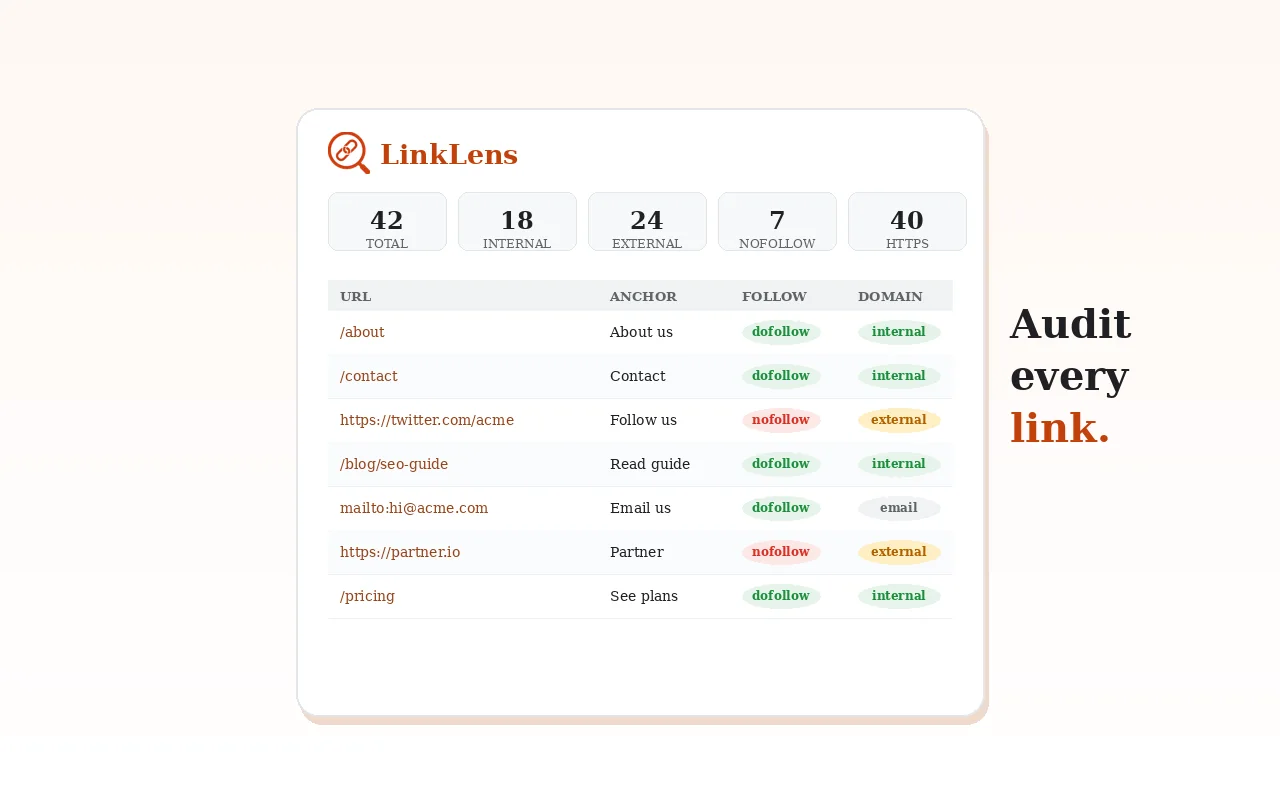
LinkLens scans the whole page and sorts links into internal/external and dofollow/nofollow automatically.
Get a clean, sortable table of every link ready for your SEO report or spreadsheet.
Spot nofollow leaks, excessive outbound links and structure issues in seconds.
Live Demo
| Link | Type | Rel |
|---|
What LinkLens looks like
LinkLens features
Separates on-site links from outbound links at a glance.
Flags the rel attribute of every link so you can audit link equity.
Sort and filter all links by type, rel, or URL.
Download the full link report as CSV or XLSX in one click.
Analyses the active tab instantly — no crawling, no waiting.
Everything runs in your browser; your pages are never uploaded.
LinkLens FAQ
Other Extensions
Dofollow and nofollow links at a glance
LinkLens scans a page for internal, external, dofollow and nofollow links and exports them to CSV or Excel.
- 100% free
- Chrome, Edge and Brave
- No signup needed
LinkLens is an independent browser extension built by an individual developer. It runs entirely in your browser and does not collect or transmit your data.
